# 极光
## 开启推送服务
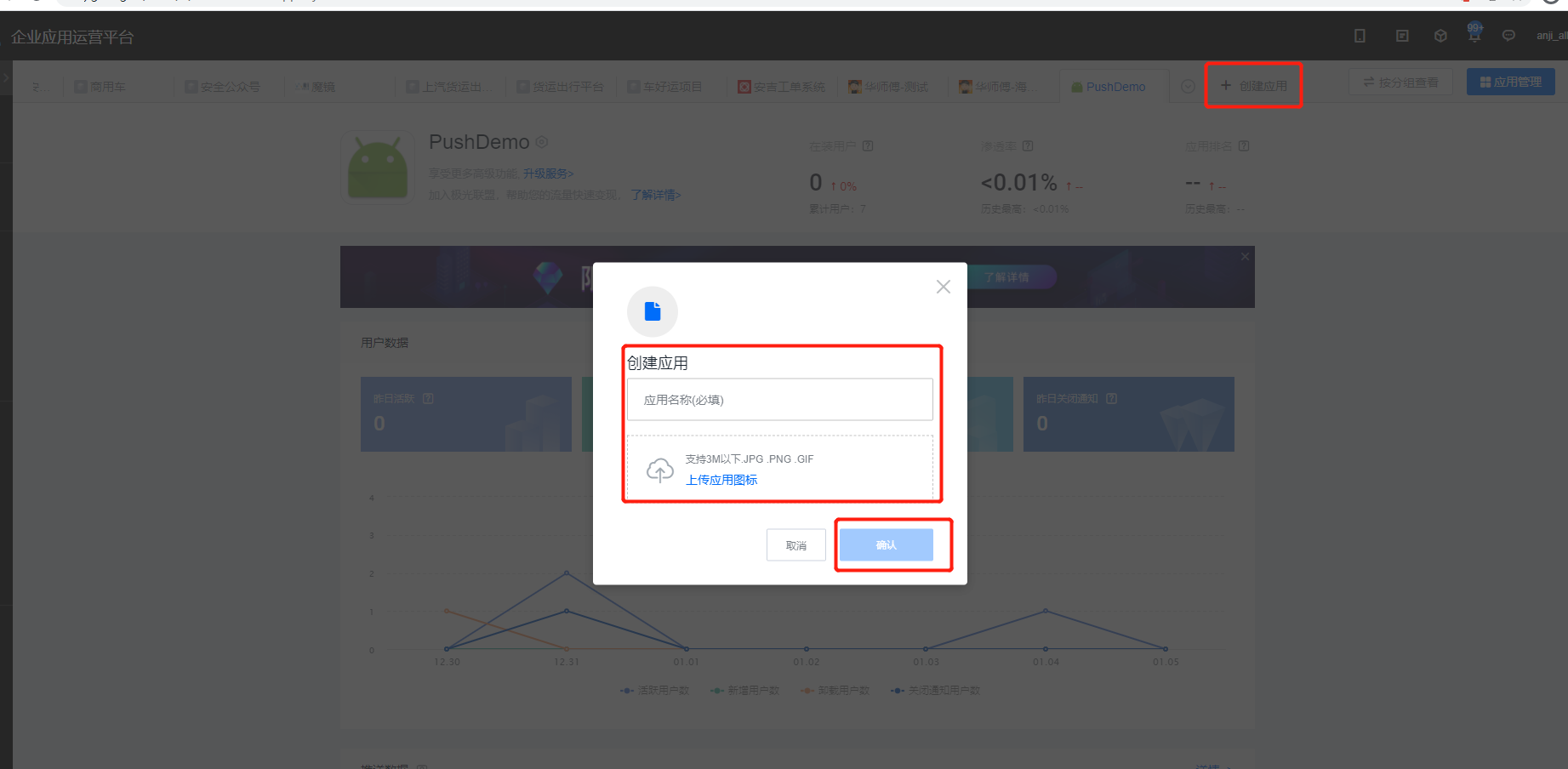
1、登录极光平台,点击“创建应用”,输入应用名和应用图标,如下图所示:
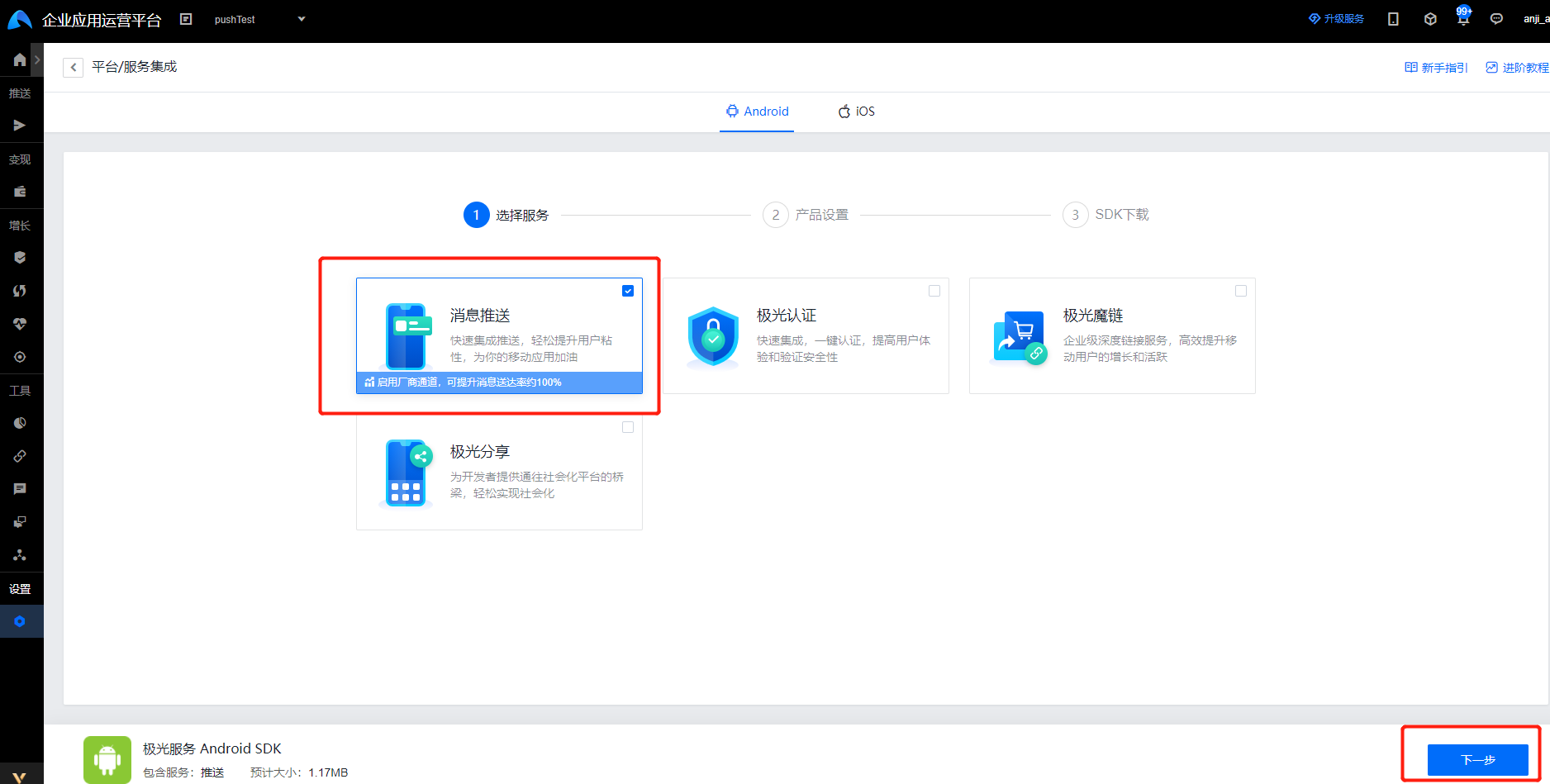
2、应用创建成功后,勾选"消息推送"服务,如下图所示:
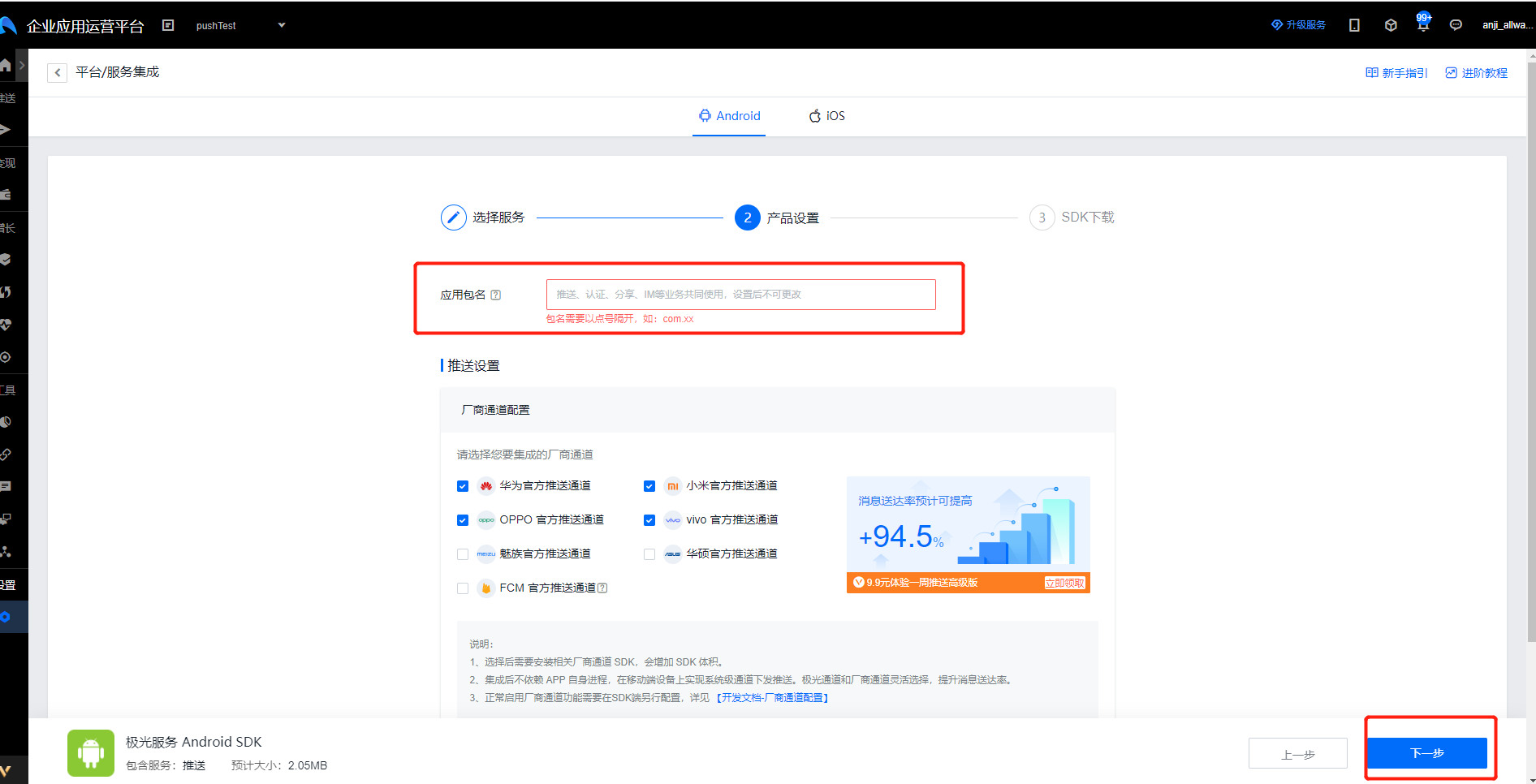
3、在产品设置中,输入应用包名,如下图所示:
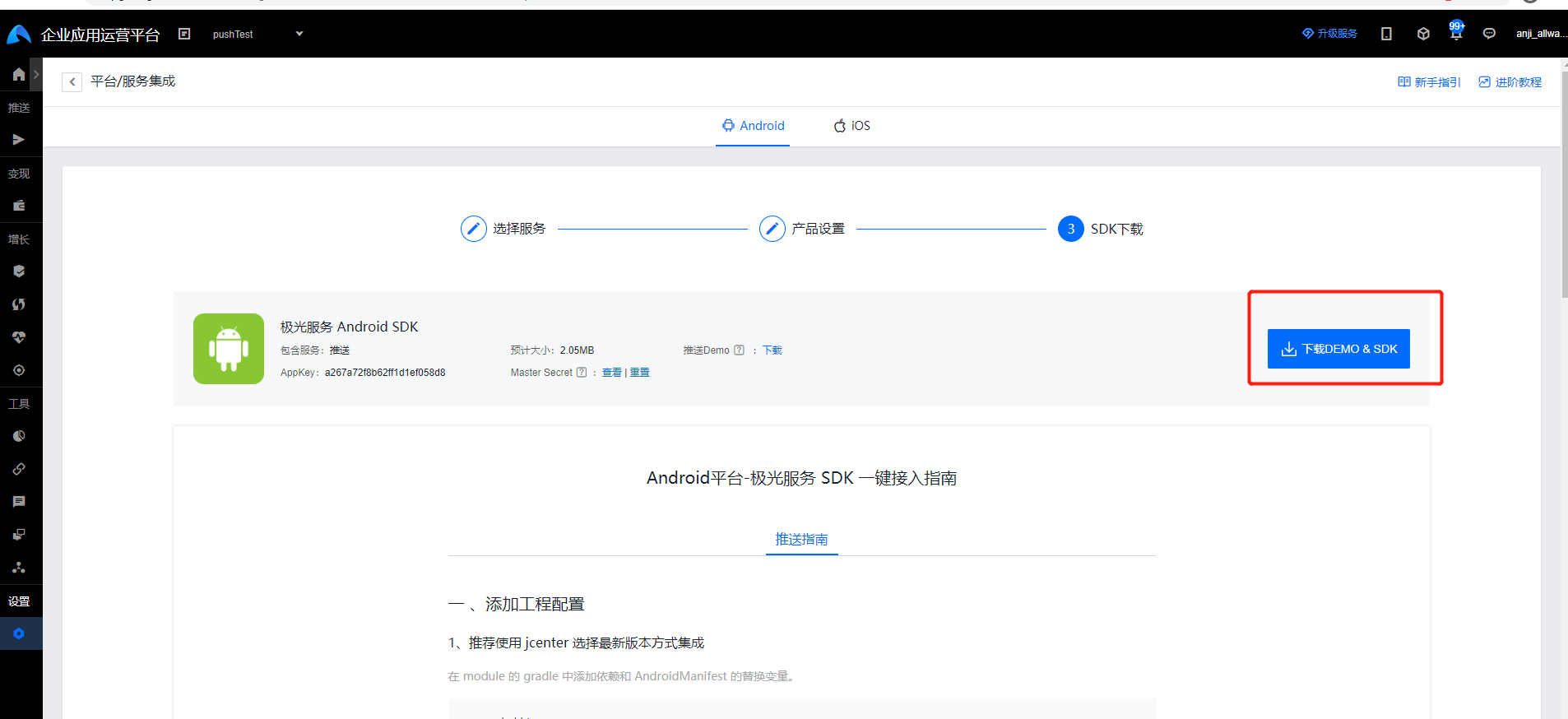
4、下载sdk ,如下图所示:
## Jcenter 自动集成步骤
1、配置 jcenter 支持
确认 android studio 的 Project 根目录的主 gradle 中配置了 jcenter 支持。(新建 project 默认配置就支持)
```
buildscript {
repositories {
jcenter()
}
......
}
allprojects {
repositories {
jcenter()
}
}
```
## 配置AndroidManifest文件
1、在AndroidManifest文件中注册所需要的receiver和service
```
```
## 应用开发
### init 初始化 SDK
1、在application中初始化sdk
``` java
JPushInterface.init(this); // 初始化 JPush
```
### 自定义一个BroadcastReceiver类
自定义一个广播PushMessageReceiver,PushMessageReceiver继承JPushMessageReceiver。3.0.7开始支持,目前新tag/alias接口设置结果会在该广播接收器对应的方法中回调。
1、通知栏信息,在onRegister()获取唯一标识registrationId,并将registrationId上传到服务器
```java
@Override
public void onRegister(Context context, String registrationId) {
AppSpLog.e("[onRegister] " + registrationId);
//將极光的registrationId保存再sp中
SPUtil.put(context, AppParam.jPushRegId, registrationId);
//send the Registration Id to your server...
AppSpConfig.getInstance().sendRegTokenToServer(new IAppSpCallback() {
@Override
public void pushInfo(AppSpModel appSpModel) {
}
@Override
public void error(String code, String msg) {
}
});
}
```
2、点击通知栏打开自定义页面,在 onNotifyMessageOpened()中通过intent跳转到指定的页面
```java
@Override
public void onNotifyMessageOpened(Context context, NotificationMessage message) {
Log.e(TAG, "[onNotifyMessageOpened] " + message);
try {
//打开自定义的Activity
Intent i = new Intent(context, Main3Activity.class);
Bundle bundle = new Bundle();
bundle.putString(JPushInterface.EXTRA_NOTIFICATION_TITLE, message.notificationTitle);
bundle.putString(JPushInterface.EXTRA_ALERT, message.notificationContent);
i.putExtras(bundle);
//i.setFlags(Intent.FLAG_ACTIVITY_NEW_TASK);
i.setFlags(Intent.FLAG_ACTIVITY_NEW_TASK | Intent.FLAG_ACTIVITY_CLEAR_TOP);
context.startActivity(i);
} catch (Throwable throwable) {
}
}
```
3、透传消息,在onMessage()方法中获取服务器传来的透传信息
```java
@Override
public void onMessage(Context context, CustomMessage customMessage) {
Log.e(TAG, "[onMessage] " + customMessage);
processCustomMessage(context, customMessage);
}
private void processCustomMessage(Context context, CustomMessage customMessage) {
if (MainActivity.isForeground) {
String message = customMessage.message;
String extras = customMessage.extra;
Intent msgIntent = new Intent(MainActivity.MESSAGE_RECEIVED_ACTION);
msgIntent.putExtra(MainActivity.KEY_MESSAGE, message);
if (!ExampleUtil.isEmpty(extras)) {
try {
JSONObject extraJson = new JSONObject(extras);
if (extraJson.length() > 0) {
msgIntent.putExtra(MainActivity.KEY_EXTRAS, extras);
}
} catch (JSONException e) {
}
}
LocalBroadcastManager.getInstance(context).sendBroadcast(msgIntent);
}
}
```
## 推送测试
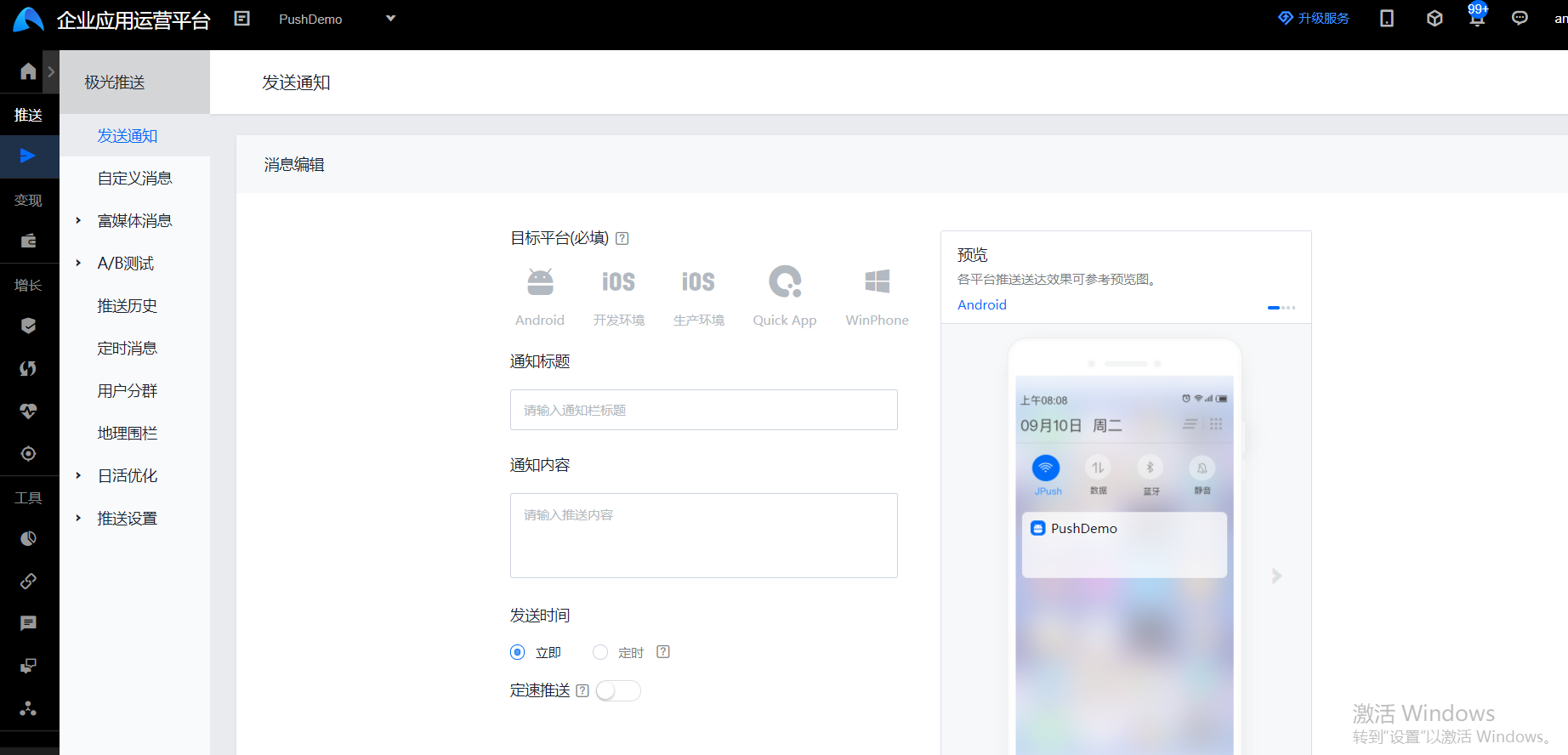
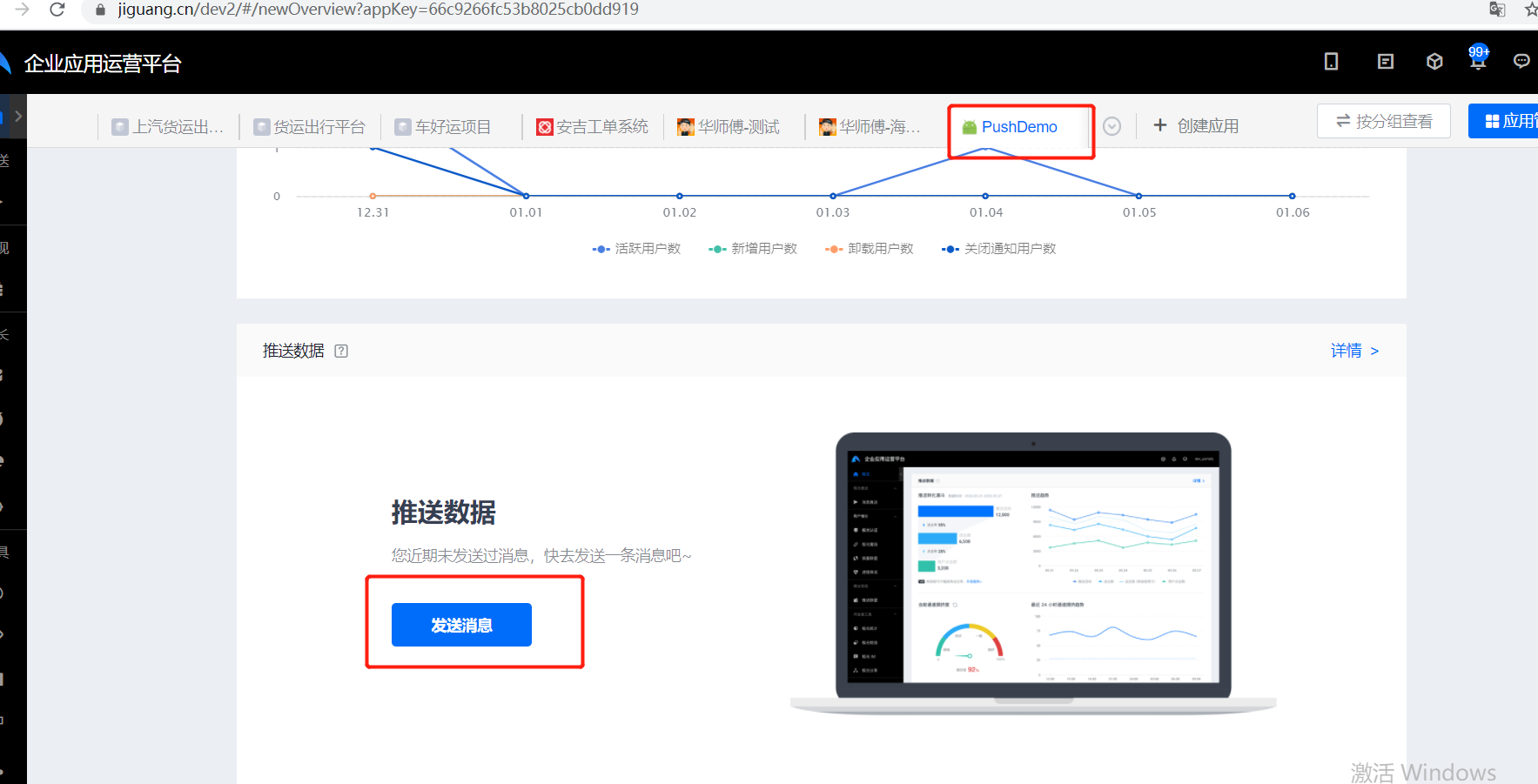
1、打开创建的应用,点击“发送消息”,如下图所示:
2、添加推送消息内容,如下图所示: